

Why I Built a Desktop Defense Manager with Tauri, Not a Web App
A deep dive into why a standalone desktop application powered by Tauri and Rust was the right call for managing end-of-study project defenses — and when webview-based apps beat the browser.
Yosri Mlik
Software Engineer
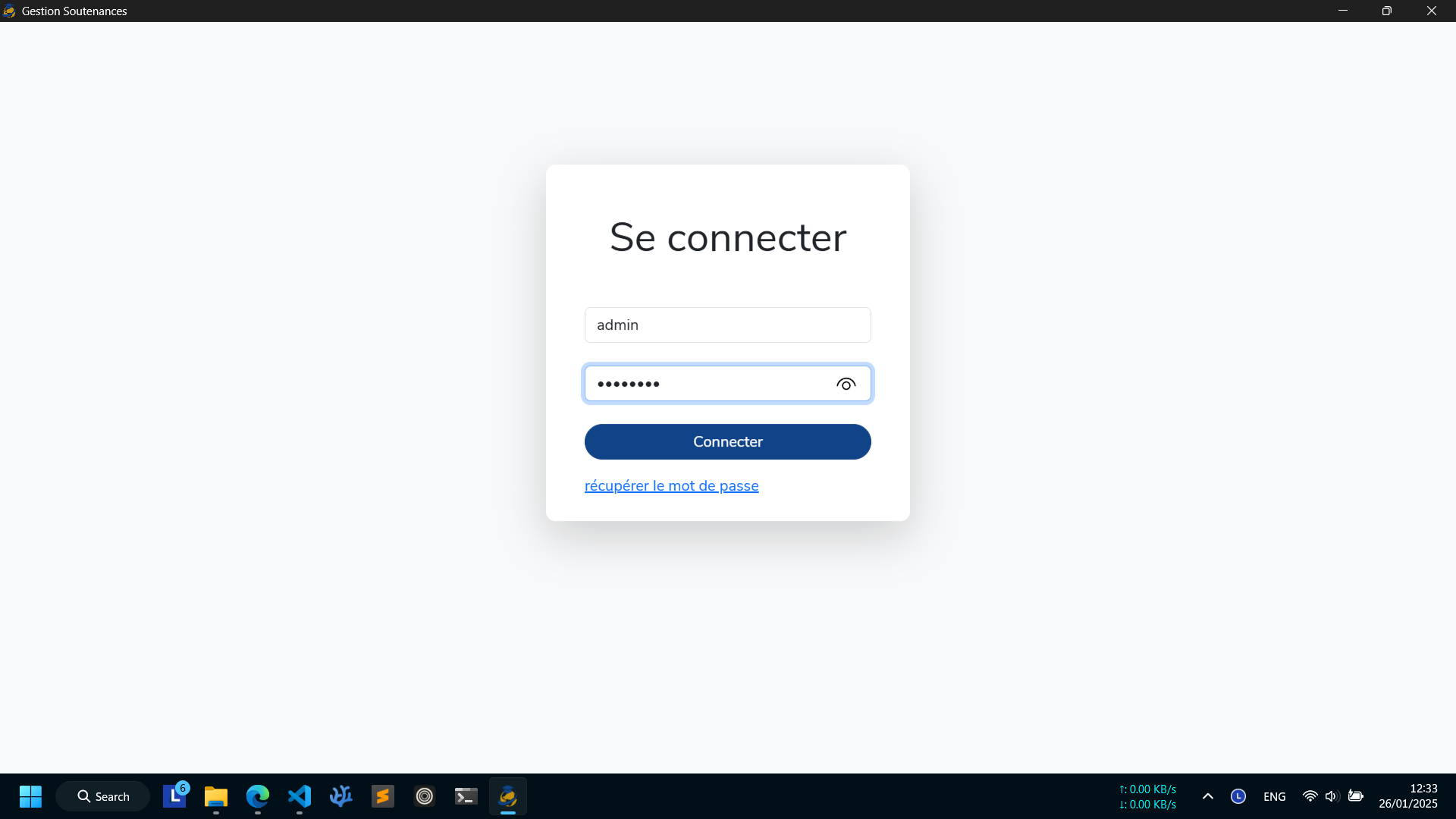
When I was tasked with building a system to manage end-of-study project defenses for the IIT internships department, the obvious choice for many developers would have been a web application. But I went in a completely different direction: a standalone desktop application built with Tauri, React, and SQLite. And it was the right decision.
The Project
The defense management system needed to handle scheduling, jury assignments, student records, and grading — all within a single institution. The end users were academic staff, many of whom are not particularly tech-savvy and spend their day in desktop tools like Microsoft Word and Excel, not in browsers.
Main Dashboard
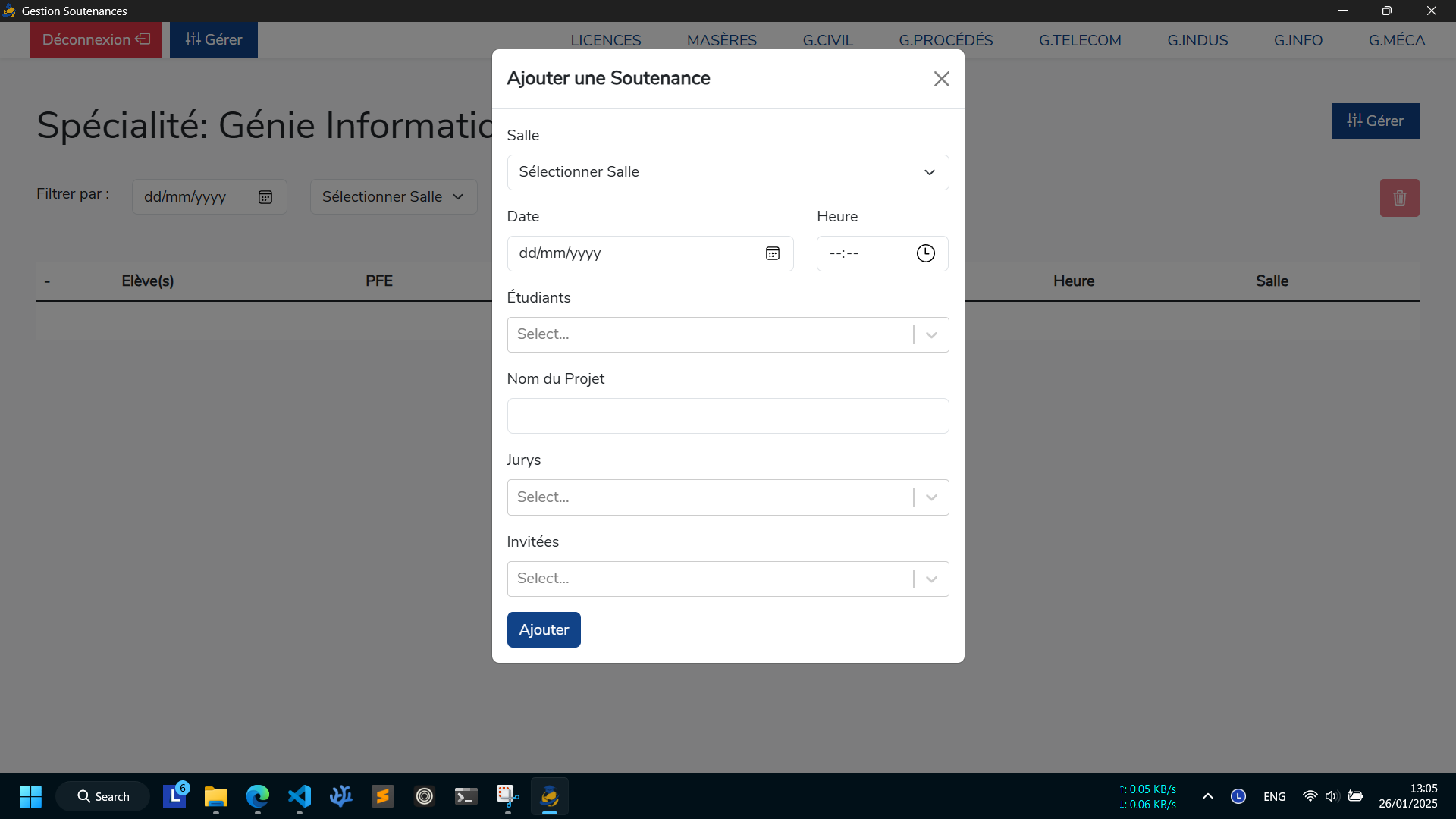
Adding/Scheduling a Project
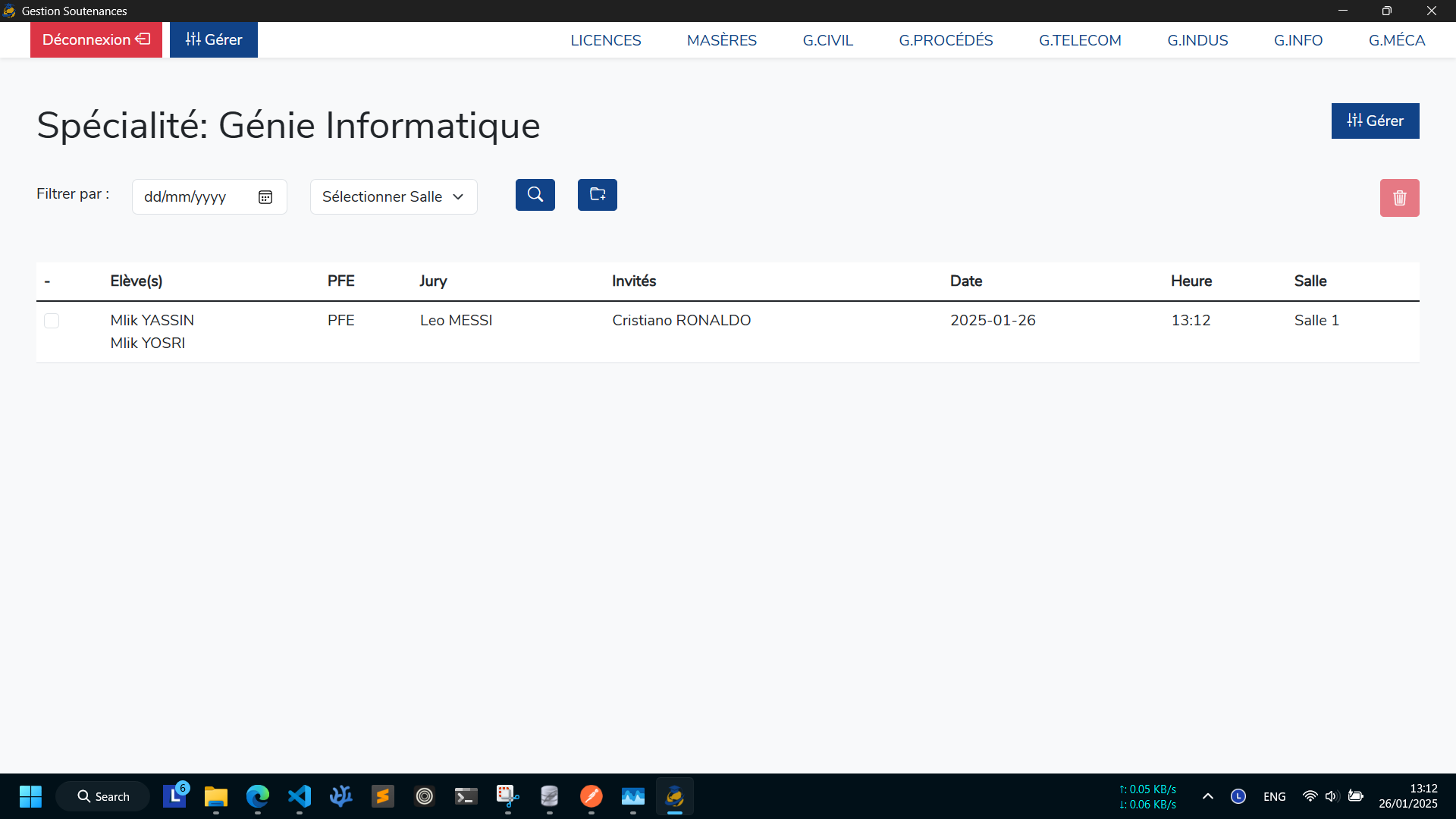
Projects Records
Webview-Based Desktop Apps Are Good Enough for Most Projects
There is a common misconception that desktop apps need native toolkits like Qt, WPF, or Cocoa to be "real." That is simply not true anymore. Webview-based frameworks like Tauri and Electron let you build desktop apps using the same web technologies you already know: HTML, CSS, JavaScript, and React.
For an internal tool like a defense manager — where the UI is essentially forms, tables, calendars, and modals — a webview renderer is more than capable. The real question is not whether web technologies can handle the UI. It is whether your choice of webview framework can deliver a decent binary size, acceptable memory footprint, and real native capabilities.
Sometimes a Desktop App Is Better Than a Web App
This is the part many developers overlook because we live in browsers. But put yourself in the shoes of a 55-year-old academic secretary who has used Microsoft Word for 20 years. She does not understand URLs, does not trust "the cloud".
A desktop app solves these problems beautifully:
- Single icon on the taskbar — It is always there. No browser. No address bar. No accidentally closing the tab.
- Native file dialogs — Uses the system's own file picker for any file operations, which non-technical users already understand.
- Offline by default — No "the site is down" panic. The app works even when the campus Wi-Fi is acting up.
- No login fatigue — No remembering passwords or getting logged out after 30 minutes of inactivity.
- Familiar mental model — It behaves like Word, Excel, and Outlook. That familiarity matters more than we think.
For internal tools aimed at non-technical staff, a web app is often the wrong abstraction. A desktop app respects their workflow instead of forcing them to adopt yours.
Why SQLite, Not PostgreSQL or a Cloud Database
I chose SQLite as the database. Not because I could not set up PostgreSQL. Not because cloud databases are too expensive. I chose SQLite because it was the right tool for the job.
Here is the reality: this application runs on a single computer in a single office. There is no distributed team accessing it from five different cities. There is no need for replication, connection pooling, or horizontal scaling. SQLite is a file. It lives next to the executable. It is zero-config, zero-maintenance, and blazingly fast for single-writer workloads.
Compare that to a cloud-hosted PostgreSQL instance:
- Network dependency — If the internet goes down, the app stops working. SQLite keeps working.
- Operational complexity — Someone has to manage backups, migrations, credentials, and firewall rules. With SQLite, backups are just file copies.
- Latency — Every query goes over the network. SQLite reads from disk. Microseconds vs milliseconds.
- Privacy — Student defense data never leaves the machine. No GDPR cloud headaches. No third-party data processors.
- Portability — Move the whole app to another machine by copying a folder. Try doing that with a managed database.
SQLite is not a toy database. It is the most widely deployed database engine in the world, shipping with every Android phone, every iPhone, every Chrome browser, and every macOS machine. For a single-user or small-team desktop application, it is often superior to client-server databases.
Why Tauri and Rust, Not Electron
I evaluated both Electron and Tauri for this project. Electron is the incumbent: massive ecosystem, battle-tested, used by Slack, VS Code, and Discord. But for this use case, Tauri won for one simple reason: it respects the user's machine.
The Performance Problem with Electron
Electron bundles an entire Chromium browser and a Node.js runtime with every application. The result? A "simple" desktop app often ships as a 150–300 MB installer and consumes 100–400 MB of RAM at runtime. That is absurd for a defense scheduling tool.
Tauri takes a fundamentally different approach. The frontend is rendered by the operating system's native webview — WebKit2GTK on Linux, WebKit on macOS, and WebView2 on Windows. The backend is written in Rust, compiled to a tiny native binary. The result is a complete application that weighs under 15 MB and uses a fraction of the RAM.
Rust: Safety Without Garbage Collection
Tauri's backend is Rust, and Rust brings something critical to desktop applications: memory safety without a garbage collector.
In Electron, your backend logic runs in Node.js — a JavaScript runtime with a garbage collector. GC pauses can cause UI stutter, and memory leaks are notoriously hard to track down in long-running desktop processes. Rust, by contrast, uses ownership and borrowing to eliminate entire classes of bugs at compile time:
- No null pointer dereferences — The
Optiontype forces you to handle missing values explicitly. - No data races — The borrow checker prevents concurrent access bugs that would crash an Electron app silently.
- No memory leaks from forgotten callbacks — Rust's drop semantics ensure resources are cleaned up predictably.
- Native performance — File I/O, SQLite queries, and system calls happen at native speed without a JS-to-C++ bridge.
For an application that handles sensitive student data and needs to run reliably for hours during defense sessions, that safety guarantee is not a nice-to-have. It is essential.
Real-World Numbers
Here is what the difference looks like in practice on the same defense manager application:
| Metric | Electron (estimated) | Tauri (actual) |
|---|---|---|
| Bundle Size | ~120 MB | ~12 MB |
| Memory Usage (idle) | ~180 MB | ~45 MB |
| Startup Time | ~3.5s | ~1.2s |
| Installer Size | ~85 MB | ~8 MB |
Those numbers matter when you are distributing the app to university staff with aging laptops and limited disk space.
The Architecture
The stack is refreshingly simple:
- Frontend: React with Bootstrap for the UI
- Backend: Rust Tauri commands for file system access, SQLite operations, and system integration
- Database: SQLite via the
rusqlitecrate - Packaging: Single
.msi(Windows) and.dmg(macOS) installers
React handles what it is good at: rendering forms, tables, and interactive components. Rust handles what it is good at: safe file I/O, fast database queries, and reliable system integration. The boundary between them is clean Tauri commands — typed, async, and effortless to call from the frontend.
Lessons Learned
- Know your user — A web app is not always better. For non-technical internal users, desktop apps reduce friction dramatically.
- Pick the right database for the topology — SQLite is not a compromise. It is the correct choice for single-machine, single-writer applications.
- Bundle size is a feature — A 12 MB installer gets emailed around. A 120 MB installer gets ignored.
- Rust's learning curve pays off — The borrow checker is annoying for the first week. Then it becomes a safety net you cannot live without.
- Desktop apps are not dead — They are just underrated for internal tools. The right tool for the right user.
Conclusion
Building the defense management system as a Tauri desktop app instead of a web application was not a rebellion against modern web development. It was a pragmatic choice driven by the users, the environment, and the data.
When your users are non-technical staff who live in desktop apps, when your data must stay local, when your machines are aging, and when reliability matters more than scalability — a lightweight webview-based desktop app with Rust and SQLite is not old-fashioned. It is exactly right.